How to Convert PDF Tables to Markdown Tables
By pdftomd.tools team · Updated · 8 min read
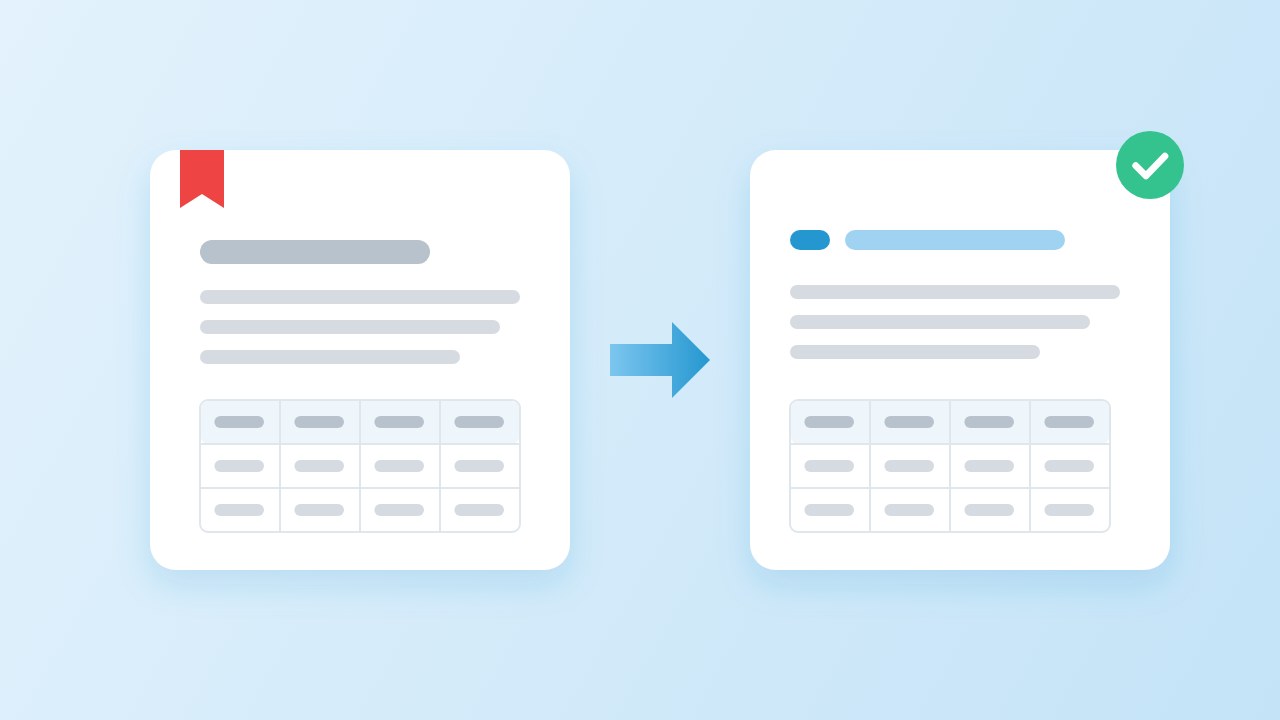
To convert PDF tables to Markdown, use a converter that rebuilds cells from the text layer, then check the result against the page. Ruled grids and cleanly aligned columns convert well; merged cells, rotated tables and tables split across pages need a fix by hand. Our online PDF to MD converter writes GFM pipe tables you can edit directly.
Why PDF tables break: a PDF stores positioned text, not cells
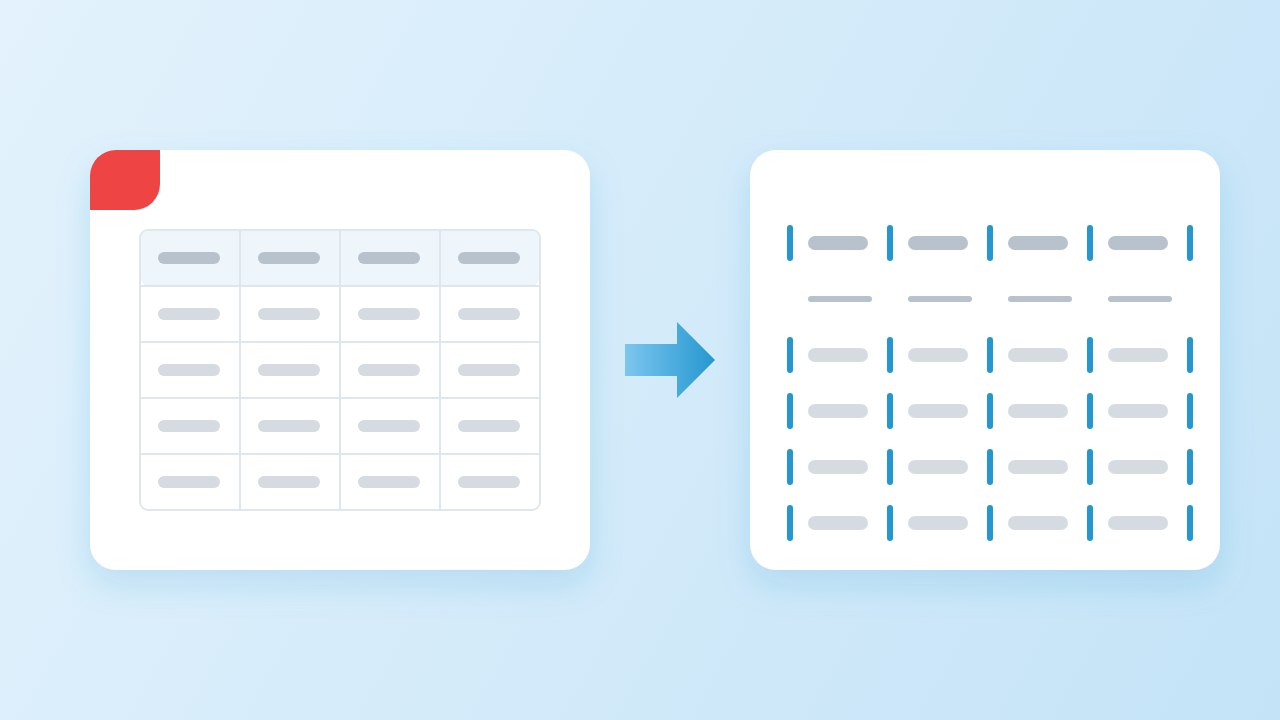
Before you convert PDF tables to Markdown, it helps to know what the file actually contains. A spreadsheet knows that “$12” sits in row 3, column 2. A PDF usually does not. The page holds runs of text at x and y positions, plus separate line drawings for any borders, as described in the PDF standard, ISO 32000-2. Tagged PDFs can carry table structure, but most exported reports and invoices either have no tags or tags that a converter cannot rely on.
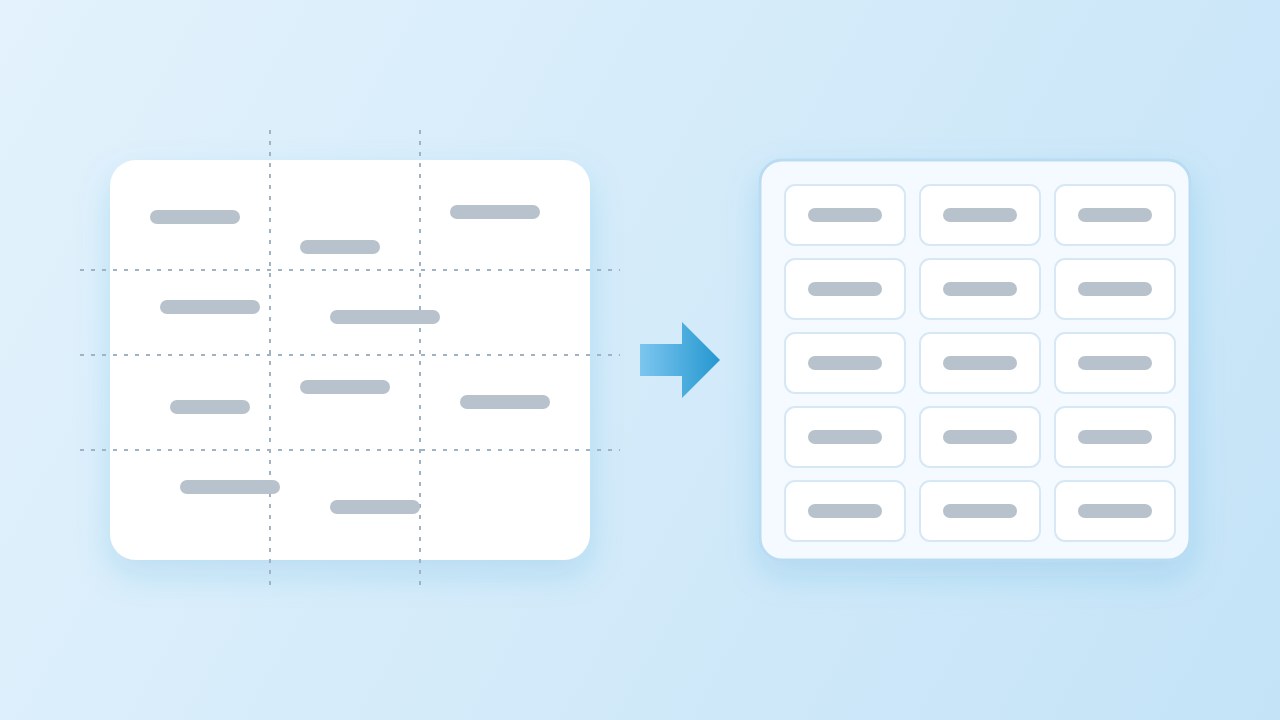
So any tool that tries to convert PDF tables to Markdown is really doing detective work. It reads the words and their positions (we use pdf.js for this), looks for ruling lines, and then decides where the columns and rows are. When cells merge, wrap unevenly or the table turns sideways, the guess gets harder.
What a Markdown table can express (GFM pipe tables)
Core Markdown has no tables. The common syntax comes from GitHub Flavored Markdown, where a GFM pipe table is one header row, a delimiter row of dashes, and any number of body rows. Colons in the delimiter row set left, right or centre alignment. A pipe inside a cell is escaped as \|.
| Plan     | Price | Seats     |
| :------- | ----: | :-------- |
| Free     |    $0 | 1         |
| Team     |   $12 | 10        |
| Business | $49 | Unlimited |“Block-level elements cannot be inserted in a table.”
That rule sets the ceiling for every conversion. A cell can hold inline text, links and code, but not a list, a second paragraph or a nested table. There is also no syntax for merged cells, for a second header row or for a caption. Anything beyond one header row and a plain grid has to be simplified.
Ruled, borderless and merged-cell tables: what to expect

The split between ruled vs borderless tables decides how a tool finds the cells. Ours tries two strategies:
- Ruled tables have drawn lines between cells. The lines form a grid, so rows and columns come straight from the drawing. These are the most reliable to convert.
- Borderless tables have no lines, only text in aligned columns. The converter looks for at least three lines whose gaps line up, and guards against lists, two-column prose and paragraphs that happen to align.
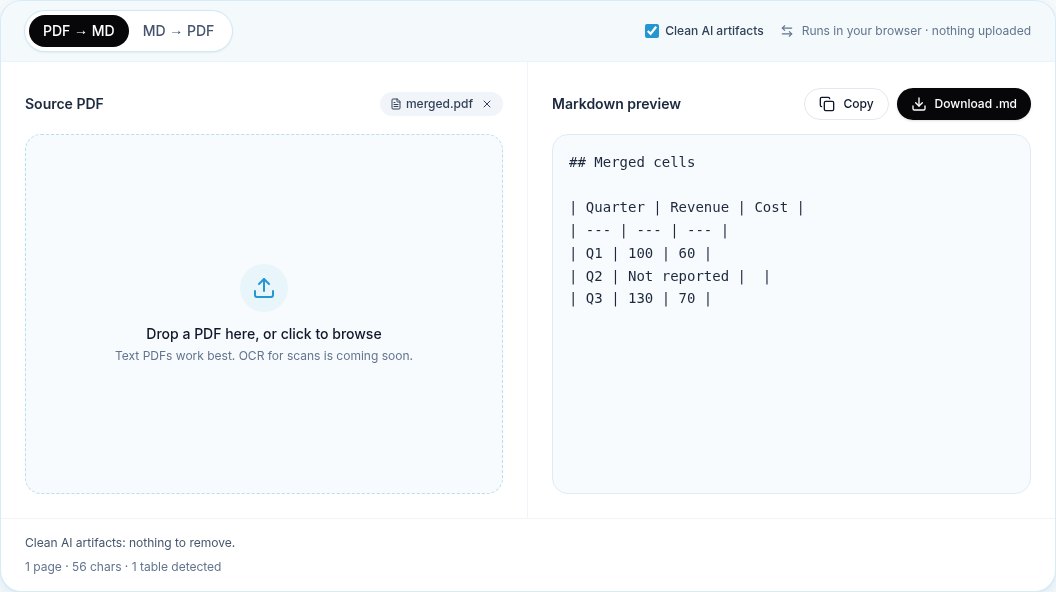
- Merged cells span two or more columns. The text lands in the first cell and the cells it covered stay empty, because Markdown cannot show a span.
Text that wraps inside a cell is the other common snag. A cell with three lines of text is still one cell; a careless converter turns it into three rows. Ours joins wrapped lines back into one cell, both for top-aligned and vertically centred cells.
Step by step: convert PDF tables to Markdown in the browser
- Open the converter and drop in the file. Nothing is uploaded; the page reads it locally and starts converting at once.
- Check the summary line under the preview. It reports how many tables were found, so you know at once if one was missed.
- Compare each Markdown table from PDF pages with the original. Count the columns first, then check the first and last rows.
- Copy the Markdown, or download the .md file, and fix what is left in your editor.
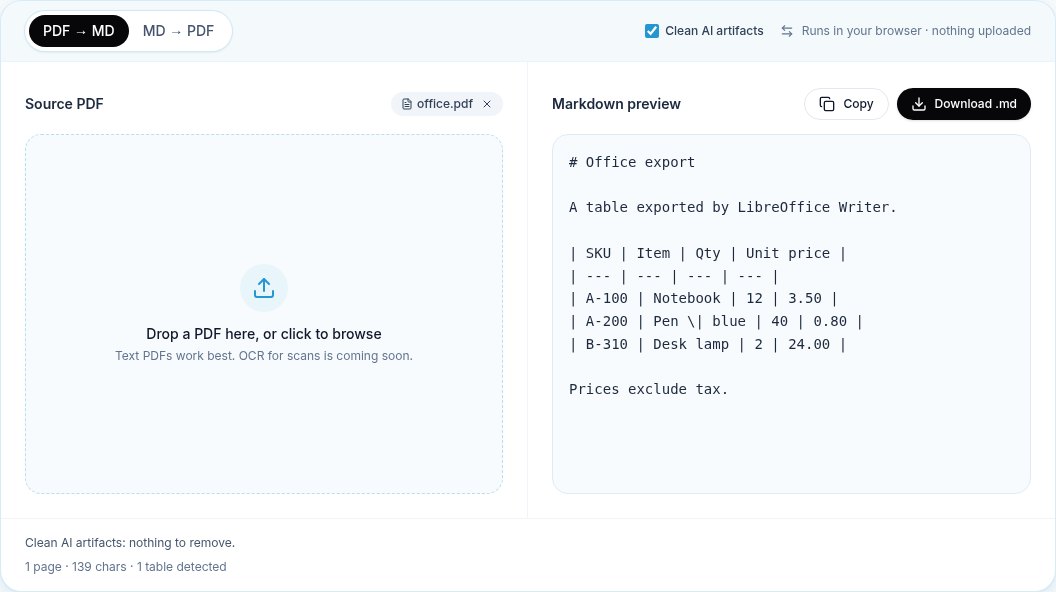
Pen \| blue, so the table stays valid.Step 3 is the one people skip. A table can look right at a glance and still have one row shifted a column to the left. Read our general guide to converting without losing formatting for the checks that apply to the rest of the page.
Fixing a table by hand (and CSV as a fallback)
Here are the fixes we make most often after a conversion:
- Merged cells. For merged cells, Markdown offers no span, so either repeat the value in each covered cell, or keep it in the first cell and add a note under the table.
- A table split across pages. Delete the extra header and delimiter rows so the parts become one table again. In our test below, every row survived the split; only the joins needed work.
- A missing header. If the first row is data, add a header row yourself. A pipe table without one is not valid.
- Uneven columns. Count the pipes in each row. A row with fewer cells is padded with empty ones by GFM renderers; a row with more is cut.
When a table is too wide or too irregular for a pipe table, CSV is a sensible fallback. Copy the rows into a spreadsheet, clean them there, and either keep the CSV next to the Markdown file or paste a simplified pipe table back in. A pdf table to markdown conversion does not have to be all or nothing.
Our test set: 12 table layouts and the results
We keep a set of 12 test PDFs, generated with reportlab and LibreOffice, that cover the layouts above plus three files that should not produce a table. Every change to the converter is checked against them. These are synthetic test files, not a sample of real-world PDFs, so read the results as a map of what each layout does rather than a success rate.
| Layout | Expected | Found | Result |
|---|---|---|---|
| Ruled grid | 1 | 1 | Pass |
| Ruled grid from an office suite, pipe inside a cell | 1 | 1 | Pass |
| Borderless, right-aligned numbers | 1 | 1 | Pass |
| Ruled, text wraps inside a cell | 1 | 1 | Pass |
| Borderless, text wraps inside a cell | 1 | 1 | Pass |
| Borderless, wrapped cell centred vertically | 1 | 1 | Pass |
| Header rule only, between prose and a list | 1 | 1 | Pass |
| One ruled and one borderless table on a page | 2 | 2 | Pass |
| Ruled, one cell merged across two columns | 1 | 1 | Pass (merged cell flattened) |
| Two-column prose (should give no table) | 0 | 0 | Pass |
| Paragraphs and a numbered list (should give no table) | 0 | 0 | Pass |
| Table rotated 90 degrees | 0 | 0 | Pass |
We ran two more tests for this article. First, a round trip: four Markdown tables exported to a PDF with our own exporter and converted back. All four were detected and 17 of 17 rows matched the original text, including an escaped pipe and right-aligned numbers. Second, a 60-row table that our exporter spread over four pages. Converting it back gave four tables, one per page, with all 60 rows present; on pages two to four the first row was promoted to a header, which is the join described above.
When you need a layout model instead
A text-layer tool can convert PDF tables to Markdown quickly and privately, but some tables are beyond it. Scanned tables have no text to read until OCR adds it. Dense scientific tables with nested headers and spanning cells need a model that sees the page as an image.
- Docling describes support for table structure and reading order, and runs locally in Python.
- marker formats tables and, with its optional LLM mode, says it can merge tables across pages. Check the licence for its model weights before commercial use.
Both take more setup and still need the review step. For a few tables a week, convert PDF tables to Markdown in the browser, fix the joins by hand, and keep the heavy tools for the files that really need them.
Sources
- GitHub Flavored Markdown Spec, 4.10 Tables (extension) — GitHub, 2019
- ISO 32000-2:2020 Document management — Portable document format — Part 2: PDF 2.0 — ISO, 2020
- pdf.js — Mozilla
- Docling — Docling project
- marker — Datalab
FAQ
Can you convert PDF tables to Markdown automatically?
Yes, for tables stored as text. Ruled grids and aligned borderless tables convert well with a text-layer converter. Scanned tables need OCR first, and merged cells or rotated tables need a manual fix.
How are merged cells handled in Markdown?
Markdown pipe tables cannot merge cells. A converter puts the text in the first cell and leaves the covered cells empty. Repeat the value in each cell or add a note under the table.
Why did my table split into several tables?
Each PDF page is read on its own, so a table that runs across pages comes back as one table per page. Delete the extra header and delimiter rows to join them; it is the most common fix after you convert PDF tables to Markdown from long reports.
Can a Markdown table cell contain a list or line break?
Not in GFM. Block-level content is not allowed in a cell. Write list items as a comma-separated line, or use <br> where the renderer allows HTML.
What is the fastest way to convert PDF tables to Markdown?
For a few files, convert PDF tables to Markdown in a browser converter and fix the result by hand. For hundreds of scanned or complex files, a local layout model such as Docling may be worth the extra setup.
What if my table is too wide for Markdown?
Markdown has no width limit, but wide tables are hard to read and edit. Split it into two tables that share a key column, or keep the data as CSV and link to it.